Microsoft 365 Support Sydney: Proactive IT Solutions for Professional Firms in 2026
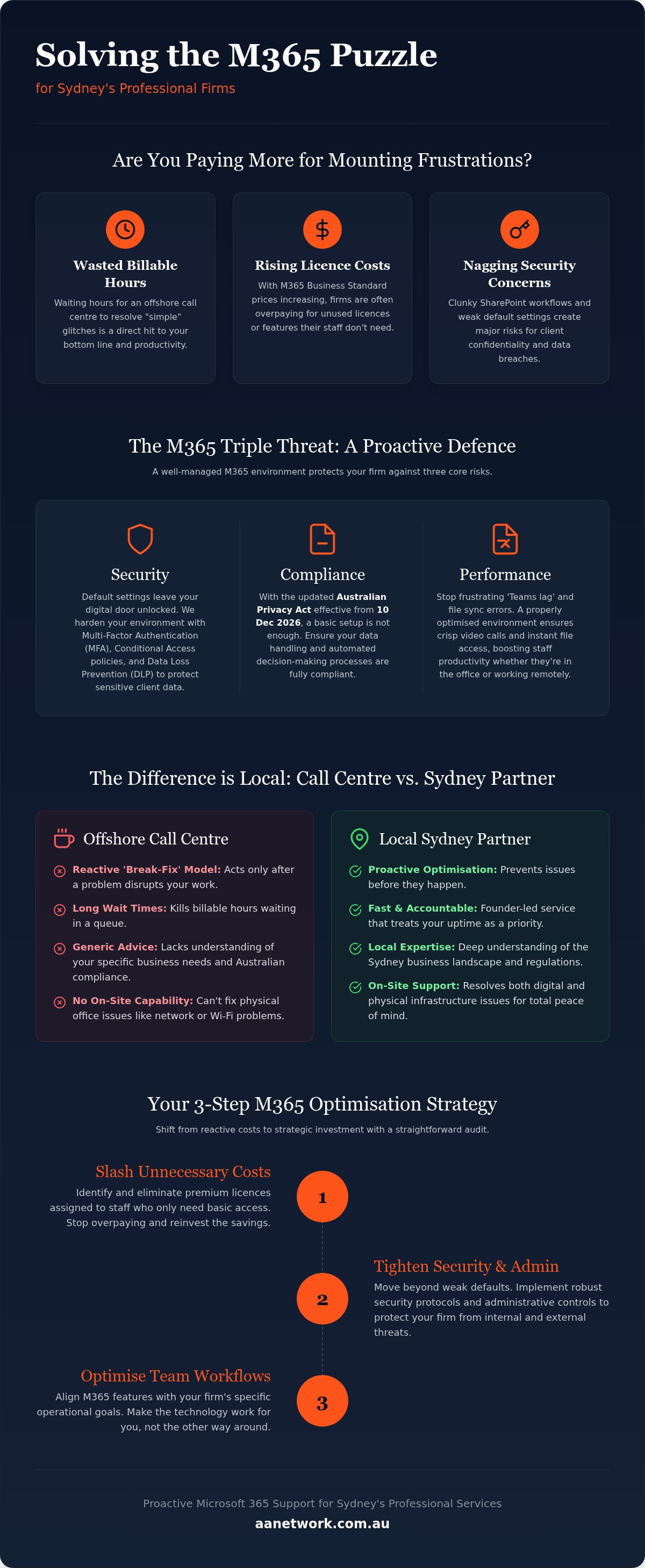
Why are you still waiting three hours for an offshore call centre to fix a "simple" Teams glitch while your billable hours disappear? It's incredibly frustrating when your technology feels like a hurdle rather than a tool. You've likely noticed your monthly licensing costs creeping up again in 2026, with Microsoft 365 Business Standard now reaching 14 dollars per user. Despite the higher price tag, your staff might still be struggling with clunky SharePoint workflows and nagging concerns about client confidentiality. It feels like you're paying more for a service that's becoming harder to manage every day.
This article reveals how proactive Microsoft 365 support Sydney professional firms can trust will secure your data, eliminate midday downtime, and stop you from overpaying for unused licences. You don't have to settle for automated bots or generic advice from someone who doesn't know your office layout. We'll show you how local, on-site expertise ensures your firm stays compliant with the latest Australian Privacy Act updates effective this December. You'll discover how a tailored M365 environment can actually streamline your daily operations and give you the peace of mind that comes from a reliable, human partnership.
Key Takeaways
- Learn how to shift from reactive troubleshooting to proactive business optimisation that keeps your team productive.
- Identify the security gaps in default settings that could leave your firm vulnerable to breaches and non-compliance with Australian privacy laws.
- Discover why local Microsoft 365 support Sydney experts provide a faster, more accountable alternative to faceless offshore call centres.
- Follow a straightforward audit strategy to slash unnecessary licensing costs and tighten your environment's administrative security.
- Understand the value of a founder-led partnership that treats your firm's uptime and data security as a personal priority.
What is Strategic Microsoft 365 Support for Sydney Businesses?
Most Sydney firms view tech support as an emergency fire brigade. You call when something breaks, and you wait for someone to put the fire out. In 2026, this reactive approach is no longer enough. High-quality Microsoft 365 support Sydney has evolved into a proactive service that focuses on prevention rather than just repair. It's the difference between a mechanic who only sees you after a breakdown and one who ensures your car never stalls in the first place. For professional services in the CBD or Parramatta, this means your Microsoft 365 environment is constantly monitored and refined to prevent glitches before they disrupt your day.
Professional services like law and accounting require a higher standard of data guardianship. You aren't just using a suite of apps; you're managing a sophisticated, AI-driven digital workspace. Your support partner should act as a watchful ally, protecting sensitive client confidentiality while helping you leverage tools like Copilot for better productivity. This shift from basic email hosting to a fully integrated ecosystem requires local experts who understand the specific pressures of the Australian business landscape.
The Cost of Reactive 'Break-Fix' IT
Waiting for a ticket response from an offshore call centre kills billable hours. In sectors like law and finance, every minute of downtime is a direct hit to your bottom line. When official help is slow, staff often resort to "shadow IT," using personal accounts or unapproved apps to get their work done. This creates massive security holes that could lead to data breaches. Furthermore, remote-only support often misses the physical reality of your office. They can't troubleshoot a faulty network switch in your server room or a dead Wi-Fi spot in your boardroom from a desk in another country. Local, on-site support ensures that your physical and digital environments work in perfect harmony.
Beyond Troubleshooting: The Optimisation Mindset
Microsoft 365 optimisation is the process of aligning software features with specific business goals. It's about making the tools fit your unique workflow instead of forcing your staff to adapt to clunky, default settings. Local experts can identify where you're overpaying for premium licences for staff who only need basic access, which is vital given the 2026 price increases for Business Standard and E3 plans. By linking your cloud environment to broader managed IT support Sydney, you ensure your entire office infrastructure stays healthy. This proactive mindset turns your technology from a monthly expense into a strategic asset that actually drives your firm's success.
The Triple Threat: Security, Compliance, and Performance
Default settings in Microsoft 365 are designed for ease of use, not maximum security. This is a massive risk for Sydney firms handling sensitive client data. Without expert configuration, you're essentially leaving your digital front door unlocked. Effective Microsoft 365 support Sydney involves hardening these settings to meet Australian standards. With the Privacy Act overhaul taking effect on 10 December 2026, your firm needs more than just a basic setup. You need a system that tracks automated decision-making and ensures data transparency. This isn't just about software; it's about protecting your reputation.
Performance is the second pillar of a healthy environment. A poorly configured setup leads to "Teams lag" and sync errors that frustrate staff, especially those working remotely. Optimisation cleans up the digital clutter. It ensures your background processes don't eat up bandwidth, making your video calls crisp and your file access instant. If your current setup feels sluggish, a quick IT health check can often pinpoint the bottleneck without requiring a full hardware upgrade.
Cyber Security for Sydney Law and Accounting Firms
Law and accounting firms are prime targets for cyber criminals. We implement Multi-Factor Authentication (MFA) and Conditional Access policies that protect your data without annoying your team. For example, we can set rules that allow easy access from your Sydney CBD office but require extra verification if someone logs in from a new location. We also deploy Data Loss Prevention (DLP) to stop sensitive files from being accidentally emailed to the wrong person. For a full breakdown of these requirements, see our cyber security for law firms Sydney guide. These protocols ensure you meet the Essential Eight requirements while maintaining a smooth daily workflow.
Harnessing AI and Automation in M365
Microsoft Copilot is a game-changer in 2026, but it's only as good as your data. If your SharePoint is a mess of old folders, the AI will pull the wrong information. Local support helps you organise your data structure first. This ensures your automation through Power Automate actually saves time instead of creating new errors. We help you adopt these tools safely, ensuring your internal firm data doesn't leak into public AI models. By getting your data structure "AI-ready," you can automate repetitive admin tasks and focus on higher-value work for your clients.
Call Centres vs. Local Sydney Support: Which is Better?
You've likely been there: stuck on a loop with a Tier-1 agent who is reading from a script and has no idea how your Sydney law firm actually operates. When your team can't access critical files, you don't need a ticket number; you need a solution. Generic call centres treats every business like a generic unit. They don't know your office layout, they don't know your staff by name, and they certainly don't understand the high stakes of your billable hours. Effective Microsoft 365 support Sydney firms rely on is built on accountability and physical presence.
Choosing a local, founder-led partner over a faceless corporation changes the entire support dynamic. You aren't just another entry in a global database. Instead, you have a watchful ally who takes personal ownership of your technology. If a cloud-based sync error is actually being caused by a faulty router in your server room, a remote agent in another country will never find it. A local expert can be at your door in the CBD or Parramatta to troubleshoot the physical hardware that keeps your cloud services running.
The 'Call Centre Trap' for Professional Services
Offshore scripts are designed to solve the simplest problems for the largest number of people. They often fail when faced with complex SharePoint permissions or Azure integration issues specific to professional services. You waste valuable time re-explaining your business structure to a new agent every time you call. Local support provides a consistent point of contact. Your technician already knows your security protocols and how your specific team uses Teams, which means they can skip the basic questions and get straight to the fix.
The Local Advantage in Sydney CBD and Parramatta
Physical proximity matters more than most people think in a cloud-first world. During a total network outage, having a partner who can arrive on-site quickly is the difference between a minor hiccup and a lost day of work. Local experts conduct on-site audits to find the Wi-Fi dead zones and hardware bottlenecks that remote diagnostics simply can't see. This high-touch approach is especially valuable for growing hubs, which is why we provide dedicated Microsoft 365 Parramatta support for Western Sydney businesses. We understand the local infrastructure and the specific challenges of operating in these busy commercial districts, ensuring your office health is managed by someone who actually knows your neighbourhood.
How to Audit Your Microsoft 365 Environment
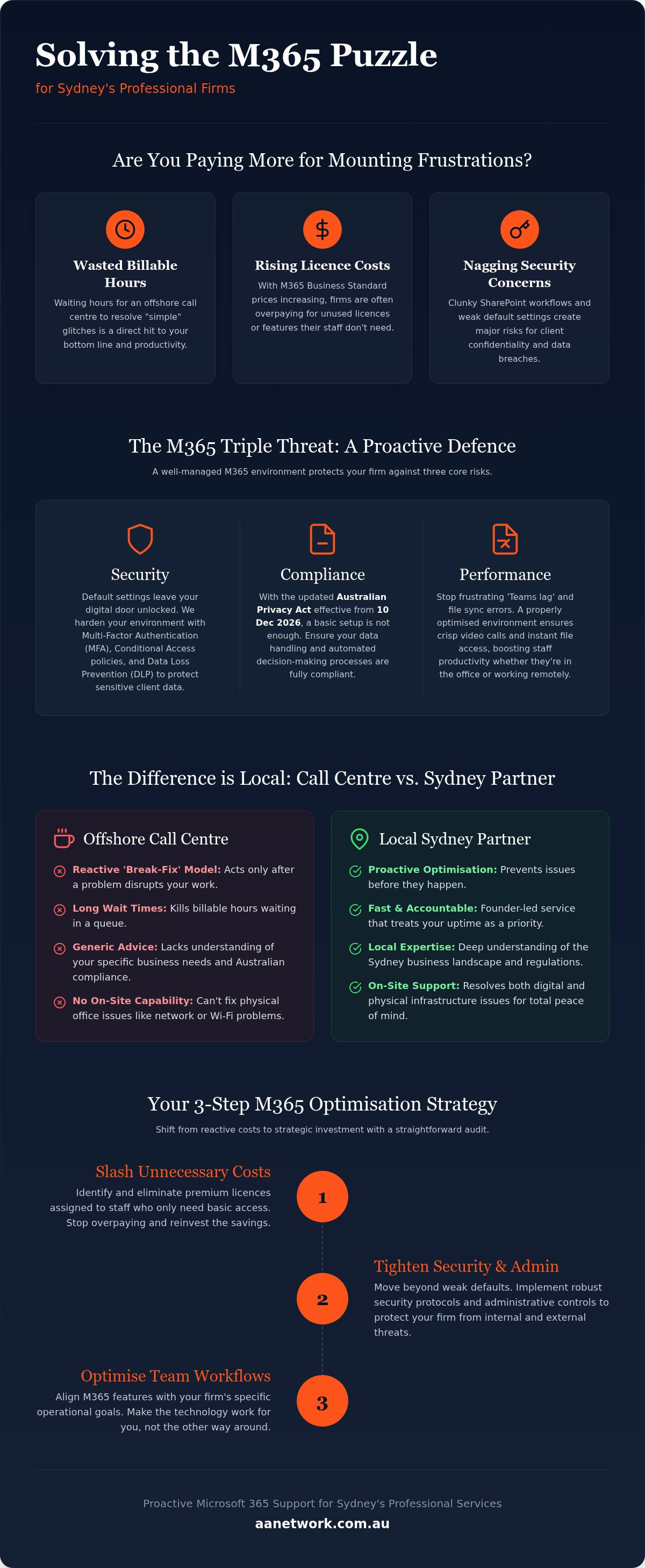
Running a regular audit of your digital environment is the only way to ensure you aren't leaking budget or leaving backdoors open for threats. Most Sydney firms set up their tenant years ago and haven't looked at the underlying structure since. Effective Microsoft 365 support Sydney experts use a systematic five-step process to tighten your environment. First, conduct a licence clean-up. It's common to find firms still paying for ex-employees months after they've left. Second, review your global admin permissions. If everyone in the office has admin rights, a single compromised password could take down your entire firm.
Third, check your Secure Score. This dashboard provides a numerical value for your security posture; you need to address the 'red flag' recommendations immediately. Fourth, audit your external sharing settings. It's easy for staff to share a SharePoint folder with a client and forget to revoke access once the project ends. Finally, verify your backup protocols. It's a dangerous myth that Microsoft natively backs up all your data. They manage the platform's uptime, but the responsibility for the actual files sits with you.
Licensing Optimisation: Stop the Budget Leak
With the recent price increases, choosing the right tier is more important than ever. Business Basic is great for email, but Business Standard or Premium are often required for the security features professional firms need. Licence 'bloat' can cost a 20-person firm thousands of dollars annually if everyone is on a top-tier plan they don't actually use. A local partner manages your tenant to ensure you only pay for what you use, scaling your subscriptions up or down as your staff numbers change.
The 30-Minute IT Health Check
An external set of eyes is always better than self-auditing because it's easy to overlook your own setup's flaws. During a professional audit, AA Network Technologies looks for immediate security gaps and performance bottlenecks that slow down your team. We check if your MFA is properly enforced and if your data structure is ready for AI tools. You can get started today by booking a free 30-minute IT health check to see exactly where your environment stands.
Reliable Microsoft 365 Support with AA Network Technologies
AA Network Technologies isn't a massive, rigid corporation where you're just another ticket number. We're a founder-led team that values human-to-human connection. When you choose us for Microsoft 365 support Sydney, you're getting a proactive guardian who understands the high-stakes nature of your firm. We take personal investment in your success, ensuring your technology moves from being a daily frustration to a strategic advantage. This means your requests don't sit in a global queue for days. We address them with the urgency your billable hours deserve, providing the accountability that only a local partner can offer.
Our commitment to on-site service in the Sydney CBD and Parramatta sets us apart from faceless, remote-only competitors. While others hide behind automated portals, AA Network Technologies shows up at your office. We believe in meeting your staff and understanding your physical workspace. This allows us to solve the complex network and hardware issues that off-site providers simply can't see. We help your firm stop just surviving tech hurdles and start thriving with a digital workspace that's secure, fast, and fully optimised for your specific needs.
Seamless On-boarding and Migration
Moving your data to the cloud shouldn't feel like a leap into the dark. We handle the entire Microsoft 365 setup small business Sydney firms need to stay competitive without disrupting your daily operations. Our process involves migrating legacy data safely and ensuring no files are left behind. Once the system is live, we don't just walk away. We train your team to actually use the tools we implement, from SharePoint collaboration to AI-driven automation. This ensures your staff feel confident and productive from day one.
Get Started with a Local Sydney Partner
The right Microsoft 365 support Sydney partner provides more than just technical fixes. We offer security for your client data, significant savings on your licensing costs, and the sanity that comes from knowing your IT is handled. You can finally stop worrying about compliance deadlines or unexpected downtime. We invite you to see the difference a high-touch, local approach makes for your professional firm. Book your free 30-minute IT health check with our Sydney experts today. We'll identify your immediate gaps and show you exactly how to build a more resilient, efficient environment for 2026 and beyond.
Take Control of Your Firm's Digital Future
Technology shouldn't be a constant source of stress for your Sydney firm. By moving from reactive troubleshooting to a proactive model, you protect your billable hours and secure your client's trust. A local partner ensures your licensing costs stay lean while your security meets the strict 2026 Australian standards. You now have a clear roadmap to audit your environment and reclaim control over your digital workspace.
AA Network Technologies provides the high-touch Microsoft 365 support Sydney professional services deserve. We focus on your compliance and on-site needs in the CBD and Parramatta, acting as a watchful ally for your team. Our founder-led approach means you'll always have a direct line to someone who understands your office layout and your specific business goals. We take pride in being the local alternative to faceless call centres.
Ready to stop overpaying for unused licences and start securing your data? Book your free 30-minute Microsoft 365 health check with our local experts today. We're ready to help you build a more stable, productive office that's ready for whatever 2026 brings. Let's make your technology work for you, not against you.
Frequently Asked Questions
What is included in professional Microsoft 365 support in Sydney?
Professional Microsoft 365 support Sydney covers everything from security hardening and licence management to on-site troubleshooting. We don't just wait for things to break; we proactively monitor your environment to prevent downtime. This includes managing your user permissions, updating your security protocols, and ensuring your SharePoint and Teams structures are actually helping your staff stay productive rather than causing frustration.
Why should I pay for M365 support when Microsoft has a help desk?
Microsoft's global help desk is designed for general troubleshooting and is often based offshore. A local partner provides accountability and business context that a call centre simply can't match. We know your staff, your office layout, and your specific industry pressures. If a cloud issue is actually caused by a physical network fault in your Sydney office, we can be there in person to fix it.
Can you help our Sydney firm with M365 compliance for the legal industry?
We specialise in helping Sydney law firms meet their compliance obligations under the Privacy Act and the Essential Eight. With the December 2026 deadline for new transparency rules, it's vital that your M365 environment is configured to track and disclose automated decision-making. We implement Data Loss Prevention (DLP) and sensitivity labels to ensure your client confidentiality remains ironclad at all times.
How much can we save by optimising our Microsoft 365 licences?
Most firms save by conducting a thorough licence audit to remove ex-employees and "right-size" their subscriptions. With Microsoft 365 Business Standard increasing to 14 dollars USD per user in 2026, these costs add up quickly for a growing team. We help you identify which staff members only need Business Basic and which truly require the advanced security features found in Business Premium subscriptions.
Do you provide on-site Microsoft 365 support in Parramatta?
Yes, we offer local on-site support across Parramatta and the Sydney CBD. Physical proximity is a major advantage when dealing with complex hardware issues or total network outages. While remote support is fine for small software glitches, having a technician who can walk into your office ensures that physical bottlenecks are identified and resolved without the delay of an offshore ticket queue.
Does Microsoft 365 automatically back up all my business data?
Microsoft 365 does not provide a comprehensive backup of your business data. Their service agreement focuses on platform availability, meaning they keep the "lights on" but aren't responsible for your specific files if they are deleted or corrupted. We set up dedicated third-party backup solutions that keep your emails, OneDrive files, and SharePoint data safe and recoverable in the event of an accidental deletion.
How long does it take to migrate a Sydney small business to Microsoft 365?
A standard migration usually takes between one and two weeks from the initial audit to the final hand-over. We spend the first few days planning the data structure to avoid a "SharePoint mess" later on. The actual move happens in stages, often after hours or over a weekend, so your staff can log in on Monday morning and get straight to work with zero disruption.
Can you help us set up Microsoft Copilot and AI automation?
We help firms adopt Microsoft Copilot and AI automation by first ensuring their data is "AI-ready." This involves cleaning up old file structures and setting strict permission levels so the AI doesn't accidentally access sensitive partner-only data. Once your environment is secure, we help you build custom workflows using Power Automate to handle repetitive administrative tasks and improve your firm's efficiency.