Table of contents
- 01Technology Challenges Are Different for Migration and Visa Businesses
- 02Common Technology Risks Facing Migration and Visa Businesses
- 03One Complete Technology Package for Your Entire Business
- 04One IT Partner for Sydney and Every Office Worldwide
- 05Supporting Migration and Visa Businesses Across Sydney CBD
- 06Separate Providers Versus One Managed Technology Partner
- 07A Cost-Effective Alternative to Managing Multiple Technology Providers
- 08Is This Package Suitable for Your Business?
- 09A Simple Transition to Fully Managed IT
- 10Technology Checklist for Migration and Visa Businesses
Technology Challenges Are Different for Migration and Visa Businesses
Migration and visa businesses operate in a fast-moving environment where employees communicate with clients, education providers, employers, government services and international offices throughout the day.
The business may rely on Microsoft 365, email, cloud storage, customer relationship management systems, document management platforms, calling systems and specialised migration or education applications. Employees may work from a Sydney CBD office, from home or from an overseas branch. This creates a technology environment that must be reliable, secure and easy to manage.
A basic break-fix IT arrangement is often not enough. The organisation needs structured user support, cybersecurity, identity management, secure networking, reliable backup, employee onboarding and ongoing technology planning.
Common Technology Risks Facing Migration and Visa Businesses
Email account compromise
Migration businesses process frequent emails, document requests, invoices and client communications. A compromised mailbox can expose sensitive information and be used to impersonate employees.
Phishing and payment fraud
Employees may receive fake invoice requests, changed bank details, credential collection links or messages impersonating managers, clients and suppliers.
Inconsistent access across offices
Sydney and overseas teams may use different devices, networks, security settings and access processes, creating gaps in control and visibility.
Unmanaged Microsoft 365
Microsoft 365 licensing alone does not ensure that identity, email, sharing, administrator access, devices and security alerts are configured appropriately.
Former employee access
Poor onboarding and offboarding processes can leave former employees, contractors or overseas users with access to email, files and business systems.
Insufficient backup
Cloud applications, Microsoft 365 and local systems may still be affected by accidental deletion, cyber incidents, system failure or account compromise.
Multiple IT providers
Using separate providers for Microsoft 365, cybersecurity, networking, backup and user support can make responsibility unclear and increase management workload.
One Complete Technology Package for Your Entire Business
AA Network Technologies can combine the essential technology and cybersecurity requirements of a migration or visa business into one managed package.
1. Managed IT support
- Responsive remote helpdesk
- User and device support
- Application troubleshooting
- Microsoft 365 administration
- Printer and connectivity assistance
- Vendor coordination
- Technology documentation
- Support for Sydney and overseas employees
Employees have one clear place to request help instead of contacting multiple suppliers. Learn more on our Managed IT Services page.
2. 24/7 device monitoring and management
- Endpoint monitoring
- Patch management
- Device health monitoring
- Software inventory
- Security status monitoring
- Remote troubleshooting
- Device standards
- Reporting
Monitoring can operate continuously, while support response arrangements depend on the selected service agreement.
3. Microsoft 365 Business Premium
Microsoft 365 Business Premium may be recommended where suitable because it can provide a strong foundation for productivity, identity, device management and cybersecurity.
- Exchange Online
- Microsoft Teams
- OneDrive
- SharePoint
- Microsoft Intune
- Microsoft Defender capabilities
- Conditional Access
- Multi-factor authentication
- Device management
- Identity protection
Microsoft 365 Business Premium is not automatically suitable for every organisation. Licensing and configuration should be assessed against the business requirements. Read more on our Microsoft 365 and Cloud page.
4. Microsoft 365 security configuration
- Multi-factor authentication
- Conditional Access
- Administrator-role review
- Email security policies
- External-sharing controls
- Device-compliance policies
- User-risk monitoring
- Security alerts
- Account lifecycle management
- Guest-access review
Microsoft 365 becomes a managed business platform rather than only an email subscription.
5. Managed endpoint and user security
The managed service may use AA Network Technologies' security and management platform, including capabilities aligned with Kaseya 365 User and Kaseya 365 Endpoint.
- Endpoint detection and response
- Managed antivirus
- Patch management
- Endpoint monitoring
- Email security
- Security awareness
- User-risk reduction
- Backup monitoring
- Automated device management
This is delivered as an AA Network Technologies managed solution, coordinated with our Managed Cybersecurity service.
6. Business firewall and secure networking
Each physical office should have an appropriately configured business firewall. A suitable deployment may include a UniFi Dream Machine Pro or another business-appropriate firewall selected after assessment.
- Firewall configuration
- Secure internet gateway
- Network segmentation
- Business and guest Wi-Fi separation
- VPN connectivity
- Remote-access controls
- Network monitoring
- Firmware management
- Site-to-site connectivity where appropriate
Sydney and overseas offices can follow a consistent network-security standard. See our Network Management service for details.
7. 3-2-1 backup and recovery
- Maintain three copies of important data
- Use two different storage types or platforms
- Keep one copy offsite or appropriately isolated
Protection considerations extend across Microsoft 365, SharePoint, OneDrive, email, business files, servers, cloud applications, important device data and network configurations. We also cover backup monitoring, restoration testing, recovery planning, Recovery Point Objective, Recovery Time Objective and business continuity documentation. Not every system can use the same backup method. Read more in Business Continuity and the 3-2-1 Backup Model and on our Backup and Business Continuity service page.
8. Cybersecurity awareness training
- Phishing awareness
- Password and MFA guidance
- Invoice fraud awareness
- Safe document handling
- Email security
- Social engineering
- Incident reporting
- New-employee training
- Ongoing refresher training
Employees learn how to recognise and report suspicious activity without being expected to become cybersecurity specialists. See Cybersecurity Awareness for Non-Technical Staff.
9. Employee onboarding and offboarding
- User account creation
- Licence assignment
- Device setup
- Application access
- Email and file permissions
- MFA enrolment
- Security-policy application
- Access removal
- Device return
- Data ownership transfer
Every employee receives consistent access, and former employees are removed from systems promptly.
10. Technology consulting and planning
- Technology roadmap
- Cybersecurity reviews
- Licence reviews
- Business continuity planning
- Vendor management
- Technology budgeting
- Office-expansion planning
- Quarterly technology reviews
- Monthly service reporting
- Policy development
Management receives clear technology direction instead of only technical support.
One IT Partner for Sydney and Every Office Worldwide
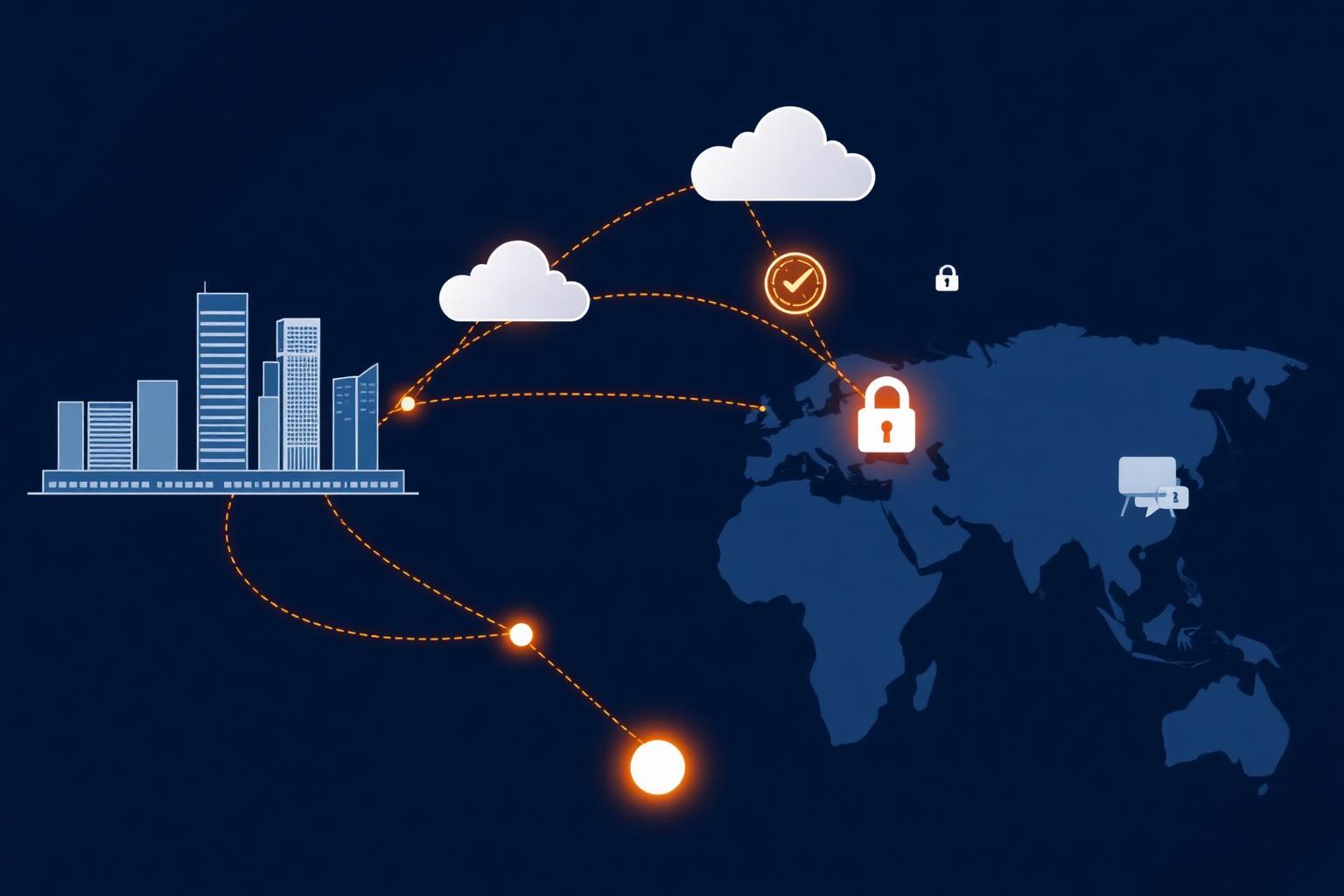
Many migration and visa businesses operate with a customer-facing office in Sydney and administrative, processing or support teams located overseas. Managing each office independently can lead to inconsistent security, duplicated systems, unclear responsibility and different employee experiences.
AA Network Technologies can manage users, devices, Microsoft 365, security policies, networks and backup requirements across multiple locations through one coordinated support model. Remote support and monitoring can be delivered across international locations. Where physical attendance is required, onsite services can be planned directly or coordinated with appropriate local resources based on the location and project scope.
- Remote support for international employees
- Centralised device management
- Consistent Microsoft 365 policies
- Standardised cybersecurity controls
- Multi-office firewall management
- User onboarding across locations
- International vendor coordination
- Central reporting
- One technology roadmap
- One accountable service provider
Supporting Migration and Visa Businesses Across Sydney CBD
AA Network Technologies is located at Suite 1406, 447 Kent Street, Sydney NSW 2000, and supports migration, visa, education and professional services businesses across the surrounding commercial area.
We are well positioned to support businesses located on or near Pitt Street, Kent Street, Market Street, York Street, Bathurst Street, George Street, King Street and Clarence Street, and within walking distance of Town Hall, Wynyard and Martin Place.
Whether your business operates from a small office, a shared workspace, several floors or multiple international locations, we can develop a managed technology package aligned with your users, devices, offices and security requirements.
Separate Providers Versus One Managed Technology Partner
| Area | Multiple Separate Providers | AA Network Technologies Complete Package |
|---|---|---|
| IT support | Multiple contacts and unclear ownership | One support process and one accountable provider |
| Microsoft 365 | Licences may be purchased without ongoing security management | Licensing, configuration, support and security managed together |
| Cybersecurity | Separate tools without central monitoring | User, endpoint, identity, email and network security managed as one service |
| Networking | Each office may use different equipment and standards | Coordinated firewall and network standards across locations |
| Backup | Different systems may have inconsistent protection | Documented backup and recovery approach based on business requirements |
| Employee support | Different support processes across offices | Central helpdesk and consistent onboarding |
| Reporting | Information spread across several vendors | Consolidated reporting and strategic reviews |
| Costs | Multiple invoices and unexpected support charges | Predictable monthly package based on users, devices, locations and service scope |
A Cost-Effective Alternative to Managing Multiple Technology Providers
Cost-effective IT does not mean selecting the cheapest individual product. It means reducing duplicated services, avoiding unnecessary licences, improving employee productivity and assigning clear responsibility for the technology environment.
An all-in-one managed package can reduce the administrative burden of dealing with separate providers for support, Microsoft 365, cybersecurity, networking, backup and training. AA Network Technologies can structure a predictable monthly package based on:
- Number of users
- Number of devices
- Number of offices
- Office locations
- Microsoft 365 licensing
- Security requirements
- Backup requirements
- Support hours
- Onsite requirements
- Business applications
- Compliance and governance needs
Is This Package Suitable for Your Business?
The package may be suitable where the business:
- Has between 10 and 50 employees
- Uses Microsoft 365
- Operates from Sydney CBD
- Has an additional office or team overseas
- Handles confidential client documents
- Does not have a complete internal IT department
- Uses several separate IT providers
- Needs stronger cybersecurity
- Has experienced repeated phishing attempts
- Needs better onboarding and offboarding
- Wants predictable monthly technology costs
- Needs a clearer backup and recovery plan
- Is expanding into additional locations
- Wants management-level technology advice
The package can also be adapted for smaller and larger organisations.
A Simple Transition to Fully Managed IT
- Discovery. Review the organisation, offices, employees, devices, Microsoft 365 environment, applications, network and current providers.
- Risk and technology assessment. Identify security gaps, unmanaged systems, licence issues, backup weaknesses and operational risks.
- Solution design. Prepare a complete service plan covering support, Microsoft 365, endpoints, firewalls, backup and employee security awareness.
- Onboarding and standardisation. Deploy management tools, document systems, configure security policies and establish the support process.
- Protection and monitoring. Begin ongoing monitoring, patching, cybersecurity management, backup oversight and user support.
- Review and improvement. Provide reporting, consultation and ongoing recommendations as the business changes.
Technology Checklist for Migration and Visa Businesses
Baseline checks for a well-managed environment
- Is multi-factor authentication enabled appropriately?
- Are administrator accounts reviewed?
- Are former employees removed from every system?
- Are Sydney and overseas devices centrally managed?
- Are business and guest networks separated?
- Are firewall settings maintained?
- Are Microsoft 365 security alerts monitored?
- Is email impersonation protection configured?
- Is Microsoft 365 data included in the backup strategy?
- Are backups tested?
- Are employees trained to identify phishing?
- Is there a documented incident response process?
- Is there one current asset and licence register?
- Are overseas offices following the same security standards?
- Does management receive regular technology reporting?
Talk to us
Not sure where your business stands?
Book a free 30-minute conversation with our team. We will listen, ask questions and point you at the practical next steps for your environment.
Frequently Asked Questions
Can AA Network Technologies support our overseas office?+
Can one IT provider manage both our Sydney and overseas employees?+
Is Microsoft 365 Business Premium suitable for a migration business?+
Does Microsoft 365 need additional backup?+
What cybersecurity risks are common for migration and visa businesses?+
Can you manage our office firewall and Wi-Fi?+
How much does a complete managed IT package cost?+
Can we move from several IT providers to AA Network Technologies?+
Which Sydney CBD areas does AA Network Technologies support?+
Official Resources and Further Reading
- Essential Eight cybersecurity guidance - Australian Cyber Security Centre
- Microsoft 365 Business Premium overview - Microsoft
- Small business cyber security guide - Australian Cyber Security Centre
- Australian Privacy Principles - Office of the Australian Information Commissioner

About the author
Ronit Raj Sriwastav
IT Manager, AA Network Technologies
Ronit Raj Sriwastav is an ICT consultant, trainer and technology business leader with experience across managed IT services, cybersecurity, Microsoft environments, systems engineering, business operations, technology projects and digital transformation.
Read Ronit's Message